hacking friend
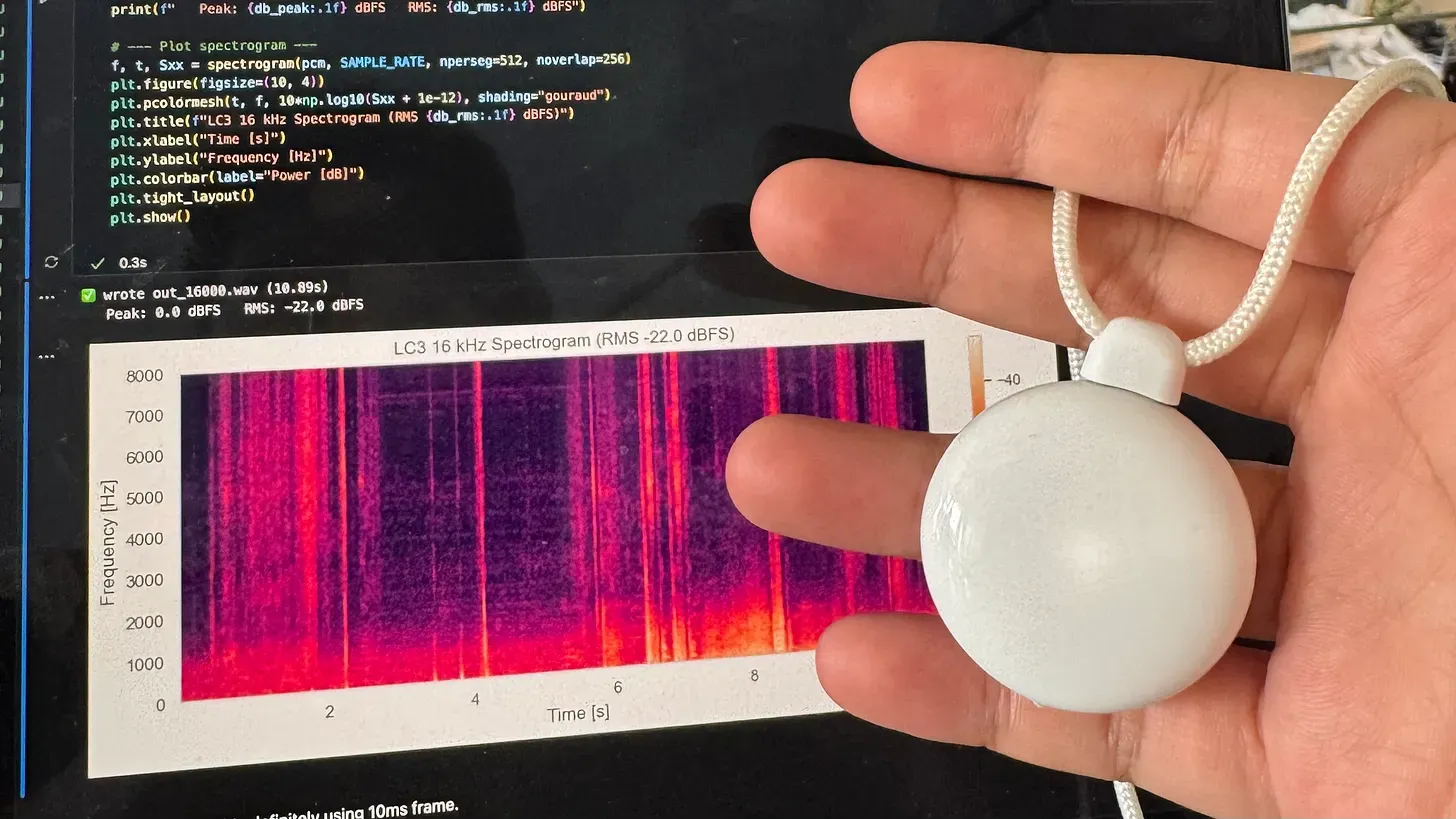
Table of contents
On a casual Monday evening in San Francisco, I met with Nik from Omi to talk about our vision and interest in life. Twenty minutes in, he asked me to visit his office in District 3 to tackle an interesting challenge: reverse-engineer the new and shiny Friend pendant. The goal: retrieve the audio stream and the button state from the device.
This article lays out my process, from how I approached the problem to how I figured out the inner workings of friend.
Behind AI wearables
AI pendants are not new. In fact, Omi was one of the original AI pendants that was released all the way back in Q1 of 2025.
Using an nRF chipset connected to a microphone and a button, Omi is an always-on pendant that listens to all your conversations and helps you talk with your memories. Even better: Omi is entirely open-source, from the backend, to the app, to the firmware and schematics of each device.
Since both devices share similar functionality, one might expect Friend to use a similar communication protocol. That’s why prior to the challenge, Nik walked me through the documentation of Omi and pinpointed its communication protocol.
To support audio transmission while keeping low energy usage, Omi uses Bluetooth Low Energy (BLE). It has three services:
- A standard BLE Battery Service
- A standard BLE Device Information Service
- A custom BLE service for streaming audio and its metadata (codec type)
The custom BLE service for audio uses notifications to push values from Omi to your phone every ~10 ms. For a 16 kHz sampling rate, this means 160 samples per audio frame. Depending on the MTU negotiated, the audio frame may be fragmented over multiple packets. There’s an additional 3-byte header that keeps ordering of packets and fragments.
Using this information, we can now begin reverse-engineering Friend with an understanding of how a similar device is implemented.
Sniff Sniff
Friend can be set up using an app in the App Store (which shares the name “Friend”). Prior to reverse-engineering the device, I walked through the onboarding process of the pendant, which gives insight into what protocol might be used. As with most smart wearables, Friend uses BLE for communication — this can be inferred from how the pendant is set up in the app.
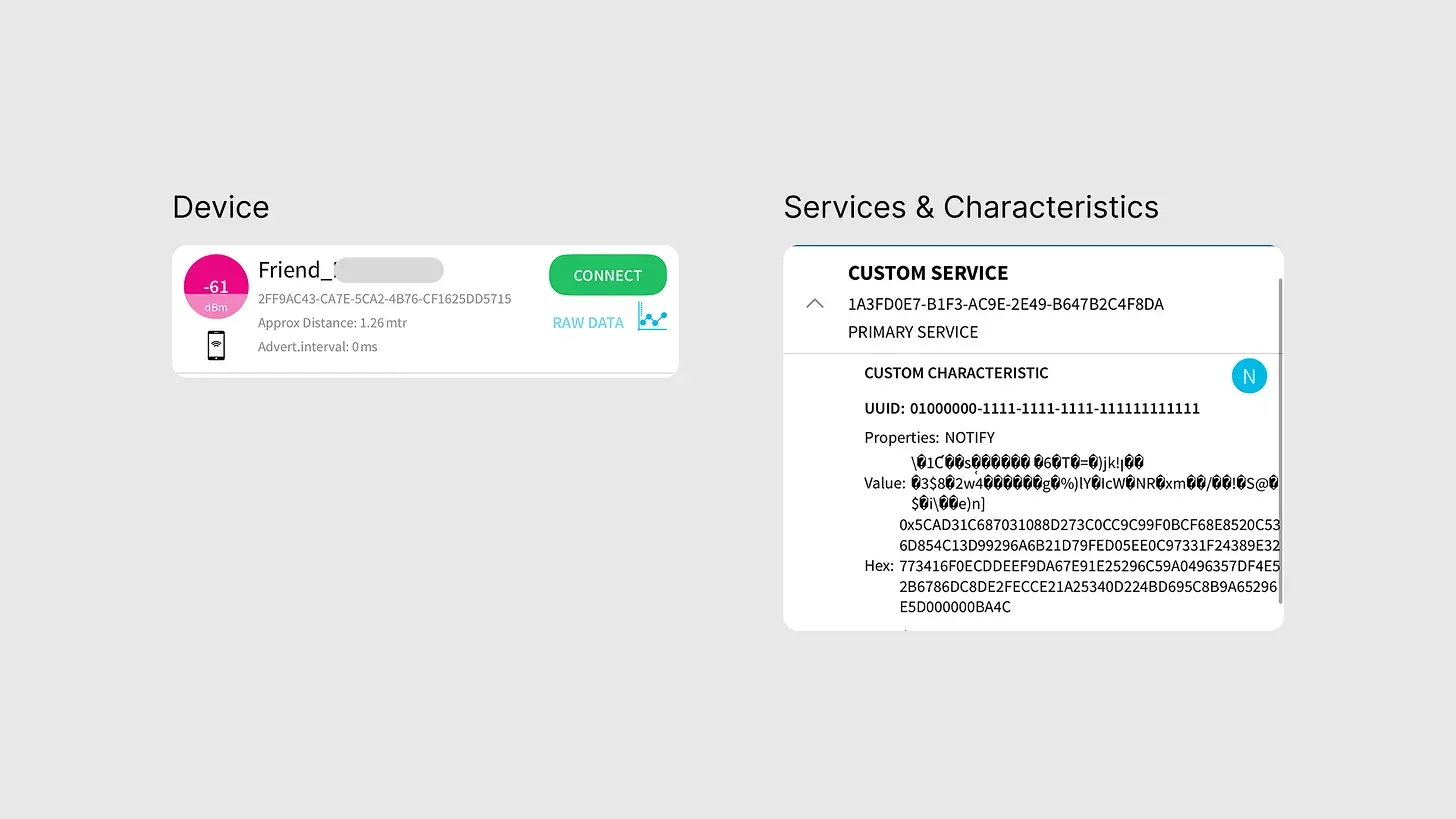
Using a BLE Scanner on my phone, I confirmed this observation and began looking into services and characteristics of the device.
Services and Characteristics
From the BLE scanner output, Friend reveals:
- A custom service with 9 characteristics (6 with notify, 3 with write-without-response)
- An SMP (Simple Management Protocol) service used for device management & firmware updates, a standard service on nRF chipsets.
I then wrote a small Python script that connects to the device and logs the UUIDs of each service and characteristic.
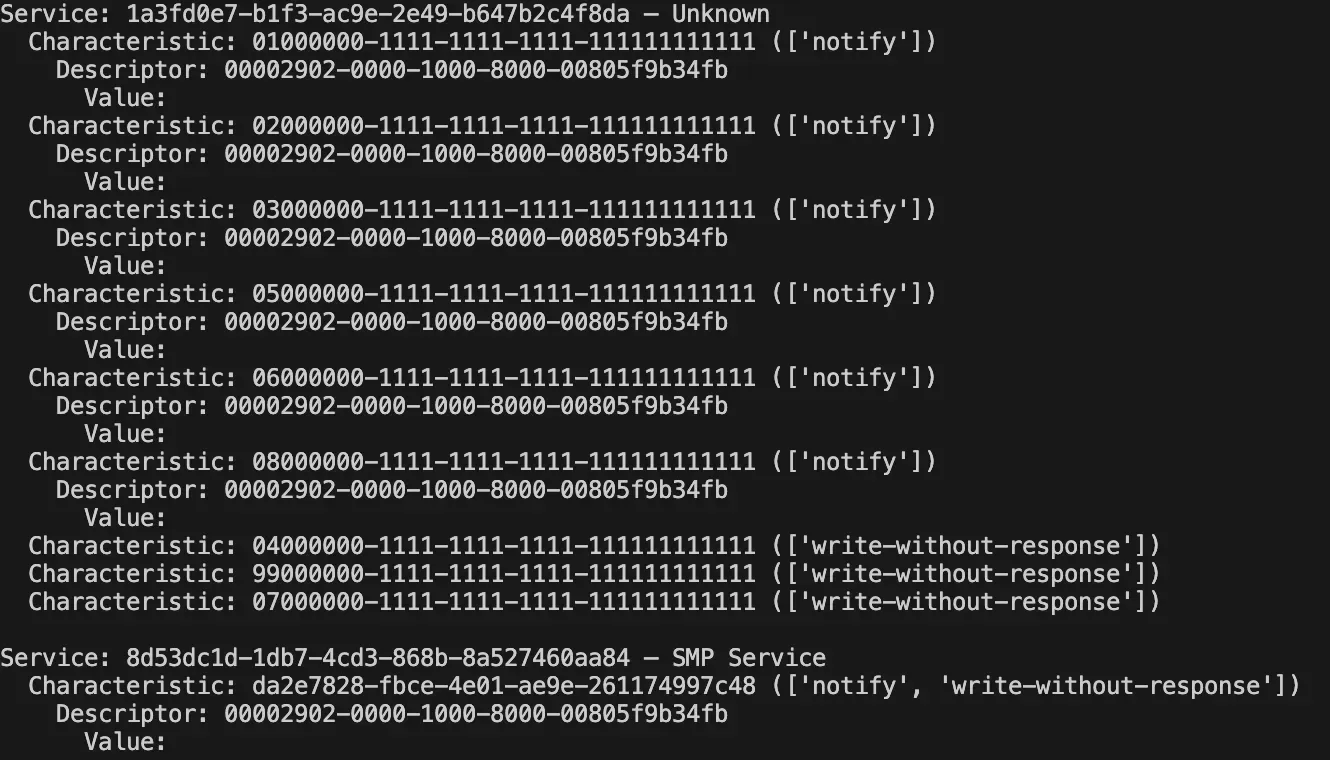
By checking the value updates of each characteristic, I found two interesting behaviors:
- Characteristic 01000000-* updates constantly, multiple times per second — unlike the other characteristics which only update rarely or upon tapping Friend.
- Characteristic 03000000-*’s last byte changes from 0 → 1 whenever I tap on the device.
Through online searches, I discovered that Friend not only records when you tap on the device, but actually always listens. Therefore, characteristic 01000000 is very likely the audio stream. The 03000000 characteristic handles the button state.
Tapping in the audio
Finding the characteristic is only half the battle. The hardest part is figuring out whether Friend uses encryption, and if not, what codec it uses and what the parameters are.
I have a few educated guesses:
- Since BLE supports link-level encryption on connection, it is unlikely the device adds a second layer of encryption on top of that. Therefore: once connected to the device, one should observe the unencrypted data stream (assuming the link uses no additional proprietary encryption).
- Most transcription/voice models (and voice-related wearables) rely on 16 kHz audio. Since Friend is a voice-based device, it’s reasonable to assume that the microphone or pendant itself sends 16 kHz audio, putting resampling if any on the pendant side.
- The audio signal is mono (one channel) — physical inspection of the device showed only one microphone.
With those assumptions, I narrowed down codec candidates based on common usage in open-source audio/BLE projects:
- PCM: raw, uncompressed audio. At 16 kHz and 16-bit mono, this translates to 32 kB/s (16,000 samples × 2 bytes). We can test for PCM by checking whether packet size and intervals match that data rate.
- Opus: a lossy, low-latency audio codec. Uses variable bitrate and each packet comes with a header indicating decoding parameters. We can detect Opus by checking packet length variability and presence of recognizable headers.
- LC3: the newer codec for LE Audio. While it compresses audio, packet size tends to be more constant (if fixed frame size) and can deliver good audio quality at lower data rates. Based on the recent LE Audio standard, LC3 is mandatory for BLE audio streams.
I then wrote a Python script to connect to Friend and record all updates from the audio characteristic into a binary file (.bin). The script also recorded timestamps and lengths of each audio-update into a CSV file.
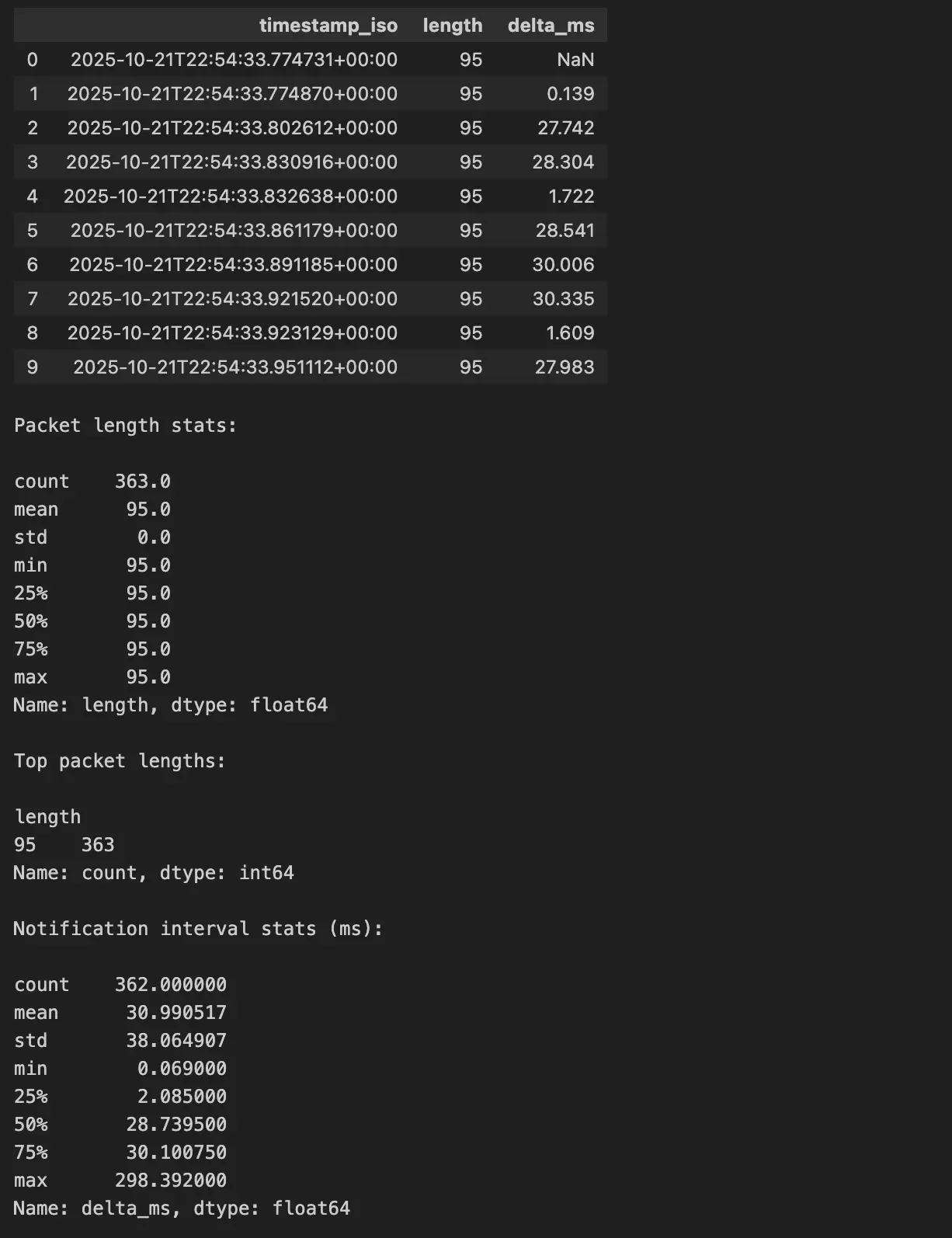
Using NumPy on the CSV data, I found that Friend sends a fixed-length packet (95 bytes) every ~30 ms. I also checked that the negotiated MTU between my computer and Friend was 247 bytes.
Given a 16 kHz audio stream and using 16-bit samples, a 30ms PCM frame would require:
But here we see only 95 bytes every ~30ms, so uncompressed PCM is almost certainly ruled out. Also, since the packet size is constant (95 bytes) and not variable, this strongly disfavors Opus (which typically uses variable packet sizes depending on complexity/compression).
After checking packet length and frequency, I look into the content of each packet. Here, a pattern emerge: the last 2 bytes of each packet is used for counting packet number, as you can see from the image below.
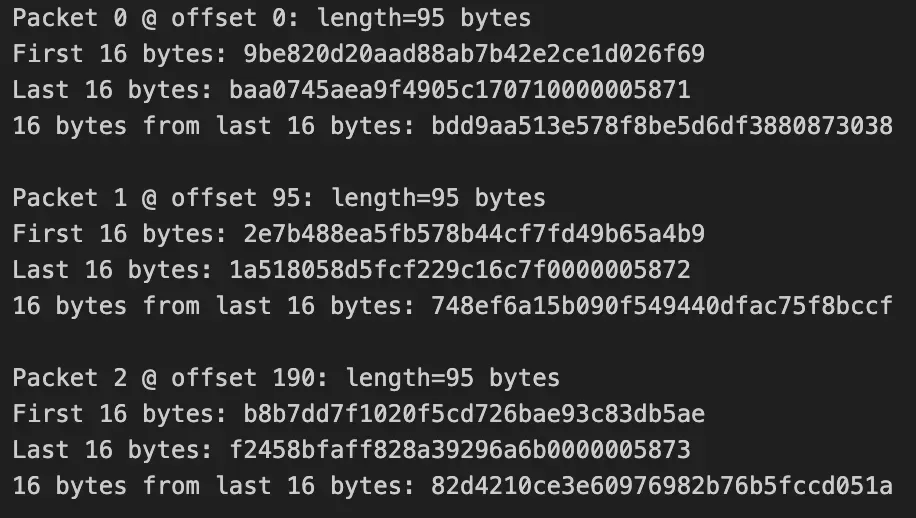
Further analysis shows that there was not a repeated pattern at the beginning of the packet nor the end (excluding the counter and padding). This means Opus is probably not our candidate since Opus frames comes with a TOC header that contains data on how to decode the audio. If each audio packet is of same length, this TOC should stay relatively the same across packets.
This leaves us with LC3 as the codec used by friend.
Decoding LC3
From the evidence, we now have:
- The codec is almost certainly LC3
- The sampling rate is likely 16 kHz
- The packet interval ~30 ms (though note: LC3’s default frame size is usually 10 ms, so in this case each packet may bundle 3 frames)
- Mono audio
By stripping out the packet counter bytes and any trailing padding, one can concatenate the data packets to form a continuous LC3 audio stream. Using an LC3 decoder (open source or custom build) we can decode this stream and export as a WAV file, enabling a spectrogram view of the audio and further analysis.
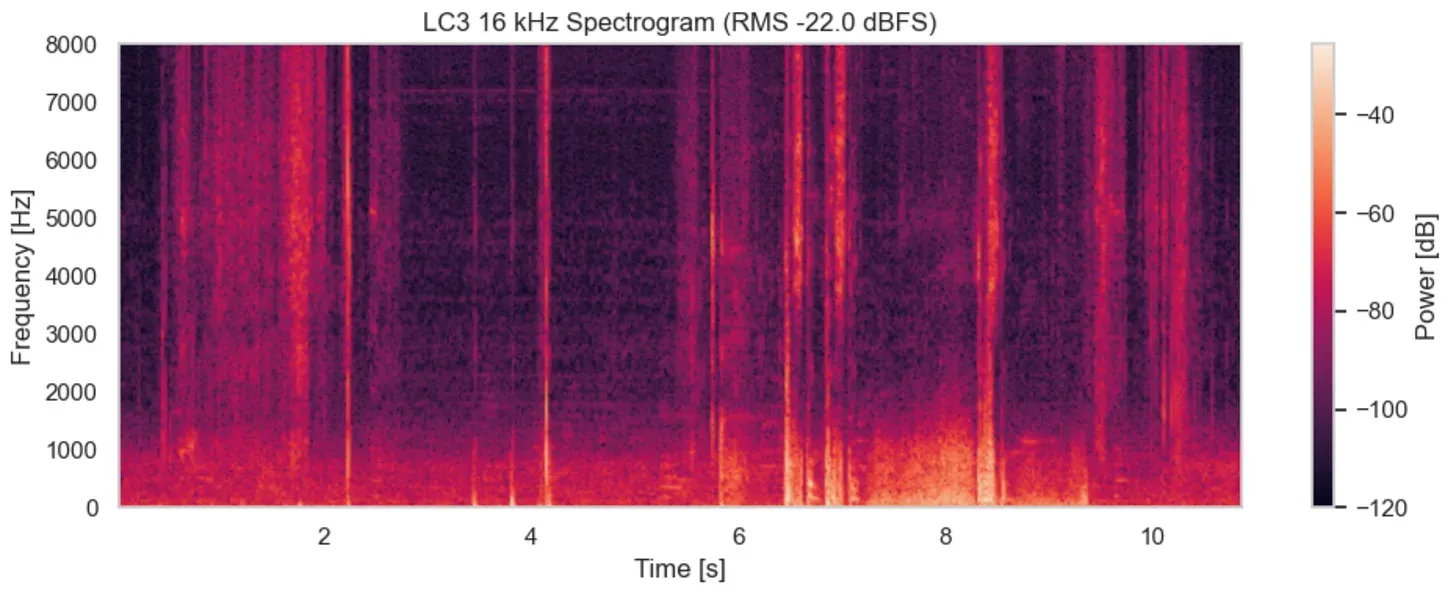
Now we can easily hoist the audio and button input of friend for any application.
Sample code and formal description can be found here.
hey stranger,
if you like what i wrote or absolutely fucking hate it, let me know.
here is a way to send me a quick note. if you do, you will be the 3,246th person who sends me a note.